
Who this is for and what it does
Anyone who starts on-demand phone or video calls in Connexus for an organization that asks its own questions first, such as a department or a reference number. Depending on your organization's choice, the questions are asked on the phone line, on the portal, or both.
Steps
Open the call button at the bottom right and select On Demand. Choose the languages and the call type.
Select Answer pre-call questions.
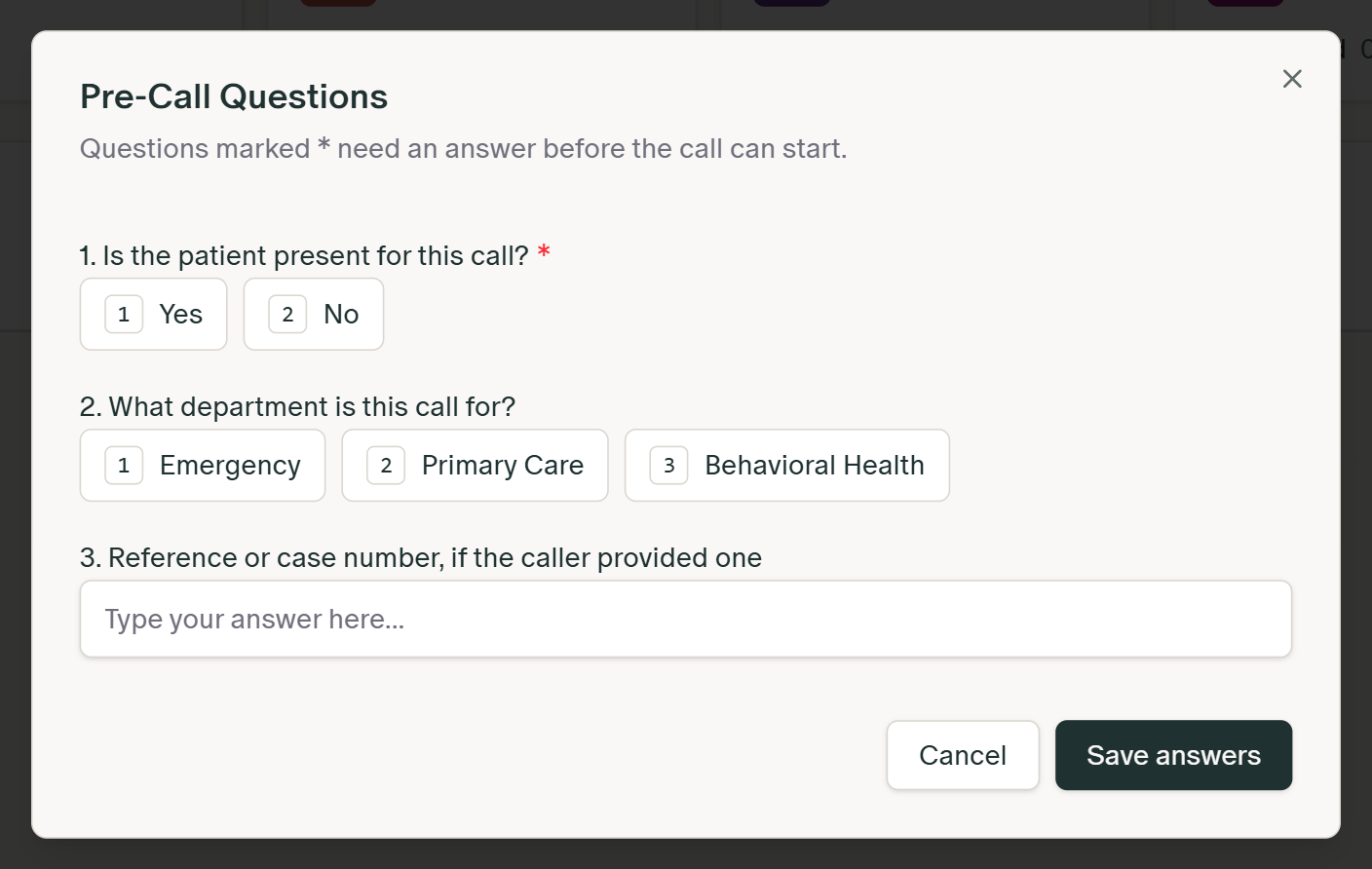
Answer each question. For a choice question, select an option. For a written answer, type it. Questions marked * are required.
Select Save answers.
Select Start a Phone Call or Start a Video Call.
To change your answers before starting, select Edit pre-call answers. To clear them, select Remove answers.
What you will see
Beside the button, Required means a required question is still unanswered, a number shows how many you answered, and Optional means none is required.
After the call, the appointment's page shows your answers under Pre Call Answers, with when they were submitted.
If your organization asks the questions on the phone line, you are asked them when you call, and there is nothing to fill in on the portal.
Things that most often look wrong, and why:
Start a Phone Call or Start a Video Call is greyed out. A required question is unanswered, or the languages, call type or industry are not chosen yet.
"This question is required." Answer it before you save.
"We couldn't attach your pre-call answers, so the call was not started." Check your answers and try again.
There is no Answer pre-call questions button. Your organization has no questions, or asks them on the phone line only.
Available since Release 10.05.2026
Last updated 14 October 2026