
Who this is for and what it does
Anyone who books interpreters in Connexus. Some organizations ask for extra details with every booking, such as a department, a cost center or a reference number. Piedmont Global sets these questions up for your organization; you answer them when you book.
Steps
Open Appointments, select Create Appointment and fill in the appointment details.
Under Additional details, answer the questions. Questions marked with a red asterisk are required. A question may be a short answer, a number, a date, a list to pick from, several choices, or Yes or No.
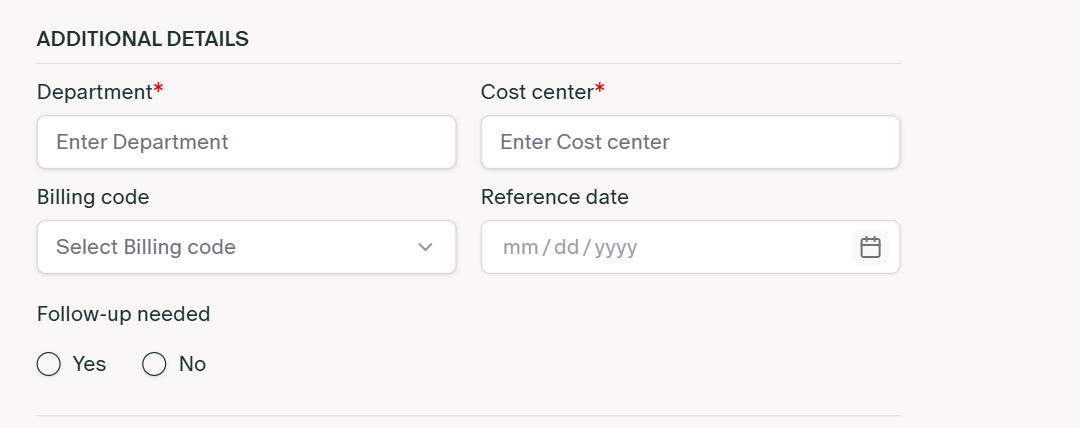
Select Submit. If an answer is not accepted, a message shows under that question. Fix it and submit again.
What you will see
A message reads "Appointment Created!". Your answers show on the appointment's page under DETAILS, as they were when you booked.
When you copy an appointment with Clone, your answers are copied too.
To change an answer after booking, contact Piedmont Global's scheduling team.
Things that most often look wrong, and why:
There is no Additional details section. Your organization has no extra questions.
"is required". A required question was left blank.
"must be a number". Use digits only, for example 1234. Leave out commas, spaces and currency signs.
"must be a valid date". Check the date exists, for example not 30 February.
Available since Release 08.20.2026
Last updated 14 October 2026