
Who this is for and what it does
Requestors, Client Admins and Org Users joining a scheduled phone appointment from a computer, instead of dialling in. To dial in, see Find your phone number and PIN.
Steps
Open the appointment and select Join Voice Call. The call opens in a new tab.
On the waiting screen, check the language pair and times. A timer counts down to the start.
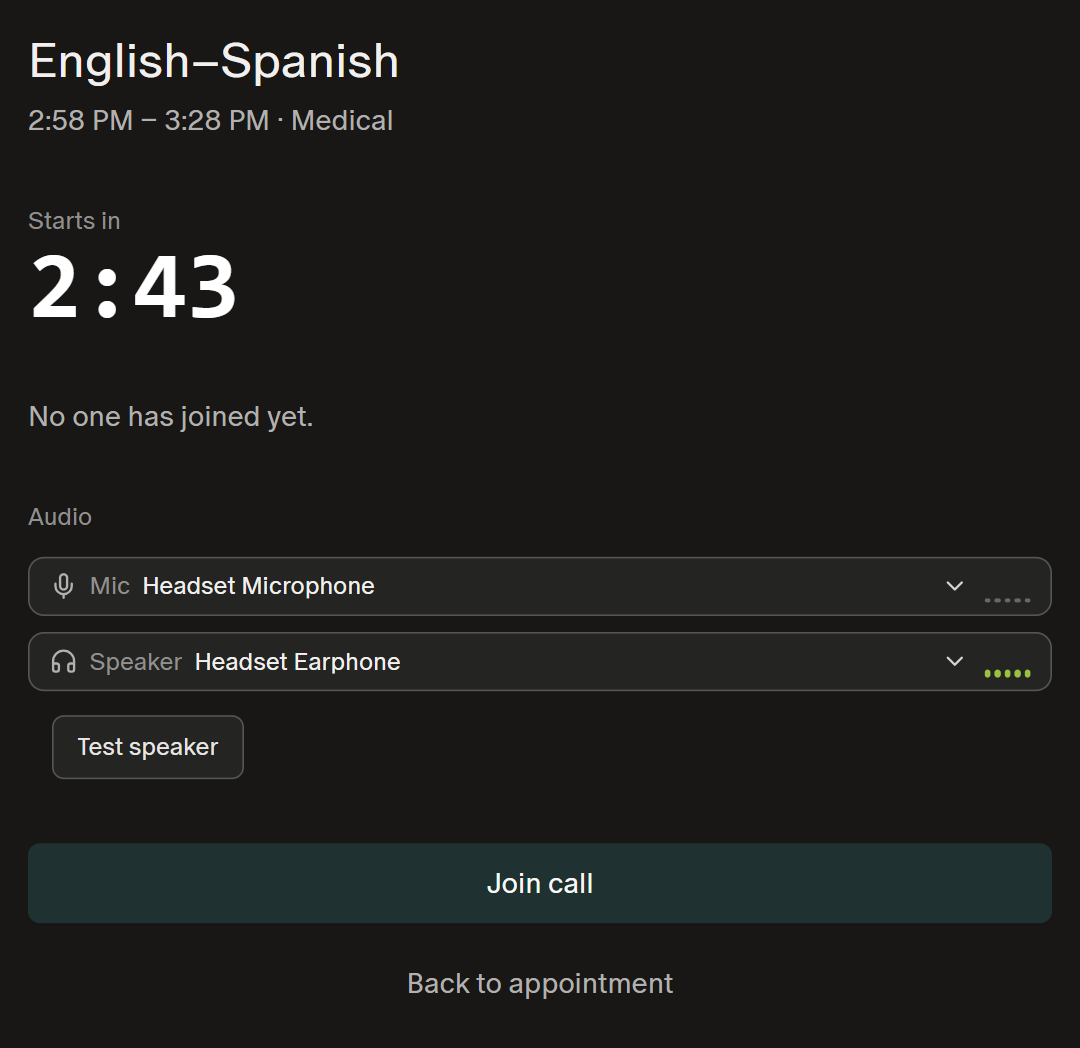
Under Audio, choose your Mic and Speaker. Speak to check your microphone and select Test speaker.
Select Join call. It turns on when the call opens.
On the call:
Participants lists who is on the call. Select Add to dial someone in by phone, with the country code, for example +15551234567.
Keypad appears when someone you dialled is connected.
The round button mutes and unmutes your microphone.
To leave, select the red phone button, then End Call to confirm.
What you will see
The waiting screen shows who is already there, or "No one has joined yet." On the call, "Waiting for the interpreter to join" shows until the interpreter connects.
If the interpreter drops, Interpreter Disconnected shows with Re-Add Interpreter. See Rejoin a call after it drops.
When you leave, the end screen asks you to rate the call. See Rate a call and your interpreter.
Things that most often look wrong, and why:
Join call stays greyed out. The call is not open yet. See Why can't I join my call?
"Microphone access is blocked." Allow the microphone in your browser settings.
"No microphone detected." Connect one and it appears in the list.
"Click anywhere to start the microphone check." Your browser needs a click before it plays or records sound.
"Your calling session has expired. Please reload the page to join the call." Your phone connection in the browser timed out, often after the tab sat in the background. Reload the page and join again.
Available since March 2026. Waiting screen since Release 09.01.2026. Updated in Release 10.19.2026.
Last updated 19 October 2026