
Who this is for and what it does
Anyone at a client organization who took part in a call with an interpreter. Your ratings help Piedmont Global keep call quality and interpreter service high.
Steps
Leave the call. The end screen reads Session complete and asks How was the call quality?
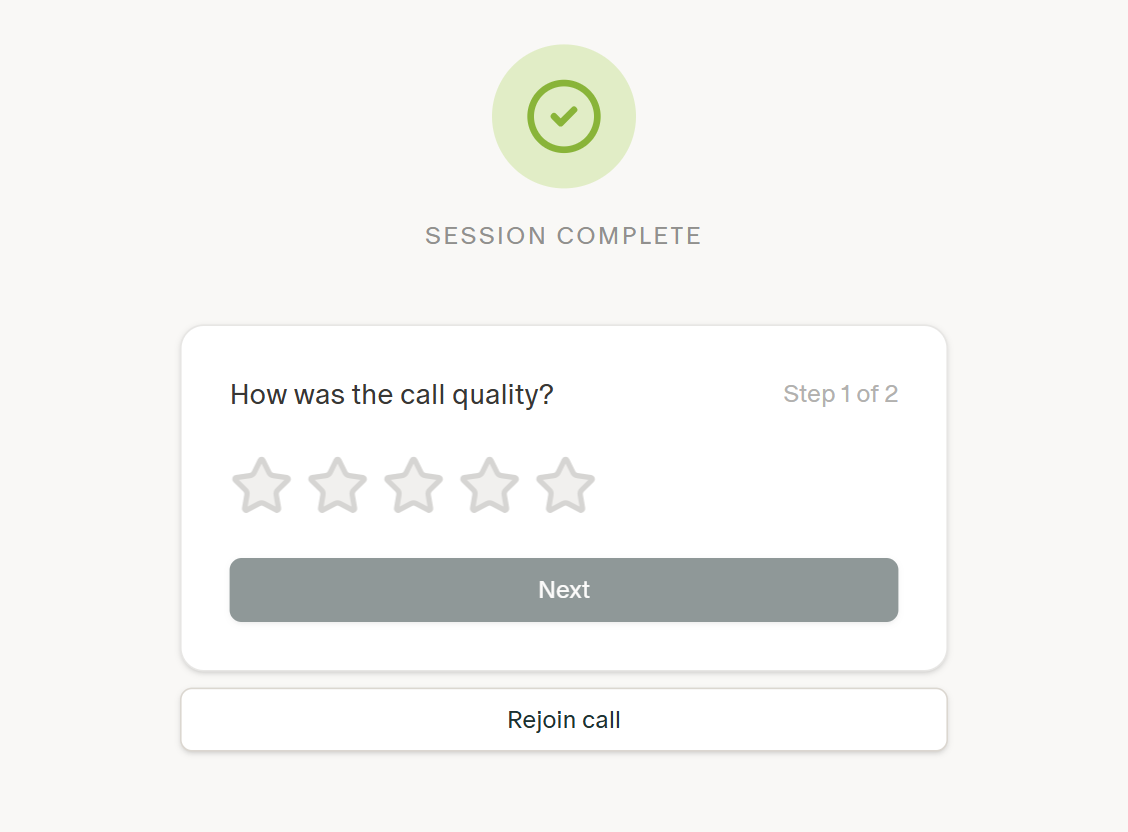
Pick one to five stars. A box opens for an optional comment.
Select Next if a second question follows, or Submit.
If you requested the appointment, answer How was your interpreter? the same way and select Submit.
To rate later:
Open the appointment. It must be Completed.
Open the ... menu at the top right and choose Rate.
In Rate this Call, pick the stars, add a comment if you want, and select Next. Select Skip to go straight to the interpreter.
In Interpreter Performance Feedback, rate your interpreter and select Submit.
What you will see
A message reads "Your feedback has been submitted." Once you have given both ratings, Rate no longer shows on the appointment.
If you end a call from the bar at the bottom of the page, the "Call Ended !" message has a Share Feedback button. It opens the appointment with the rating window ready.
Your ratings of interpreters show in the Interpreter Rating column of your on-demand call logs. See Read your call logs.
Things that most often look wrong, and why:
I was not asked about the interpreter. Only the person who requested the appointment is asked on the end screen.
I was not asked anything. No interpreter joined the call. The screen reads "No interpreter connected".
Rate is missing on the appointment. The appointment is not Completed yet, or you have already rated it.
Available since March 2026. Share Feedback since Release 09.01.2026.
Last updated 17 October 2026