
Who this is for and what it does
Anyone at a client organization whose call dropped because of the connection, a closed tab or a reload. You can get back into the same call, with the same interpreter, while it is still open.
Steps
If you dropped out
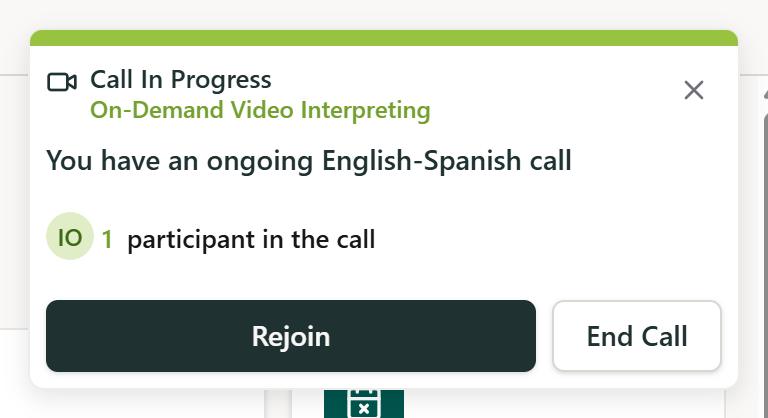
On any Connexus page, a Call In Progress message shows your ongoing call. Select Rejoin.
If you are still on the call page and a connection error shows, select Refresh.
If you already left and see the call summary, select Rejoin call.
If the interpreter dropped out
The call shows Interpreter Disconnected. Wait for them, or select Re-Add Interpreter.
A message reads "Request Sent to Interpreter". Wait for them to come back.
What you will see
While nobody is in the call, the message reads "No one is in the call. Call will end in" followed by the time left. For scheduled calls that your organization keeps open for the whole appointment, the call stays open until the booked end time.
The person who started the call sees End Call on the message, to end it for everyone. Others see Close, which hides the message.
Things that most often look wrong, and why:
"Unable to rejoin the call after repeated attempts." Refresh the page and try again.
"This session has ended". The call has finished. Start a new request.
The interpreter declined to rejoin a phone call. Start a new call.
The Call In Progress message is gone. You closed it, or the call ended.
Available since March 2026
Last updated 14 October 2026